
Complete Guide of Using Formify.pro to Collect Form Data
When you have custom form on your website, you will need to connect it with a CRM or host backend and develop a separate admin panel to collect the data.
This demands lots of time, money, and resources.
If you face the same problem, Formify.pro is the one stop solution for it. With Formify.pro, you can collect and store the form data without backend.
Here, we will discuss how to use it.
How to Use Formify.pro?
Here is the step-by-step guide to using this tool.
Step 1: Click on Register
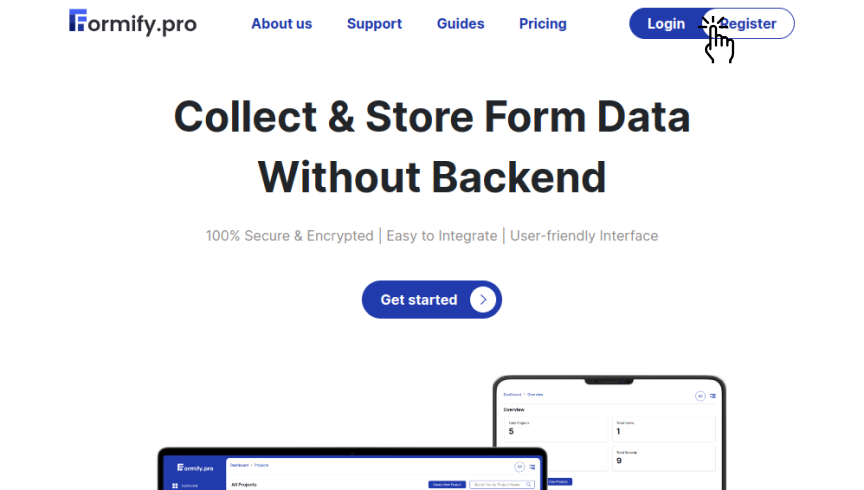
Your first step in using this software will be registering yourself. When you will come to the homepage of Formify.pro, you will see the log in/register button on the right-hand side corner above.
If you have already registered, you need to log in.
Step 2: Register Yourself
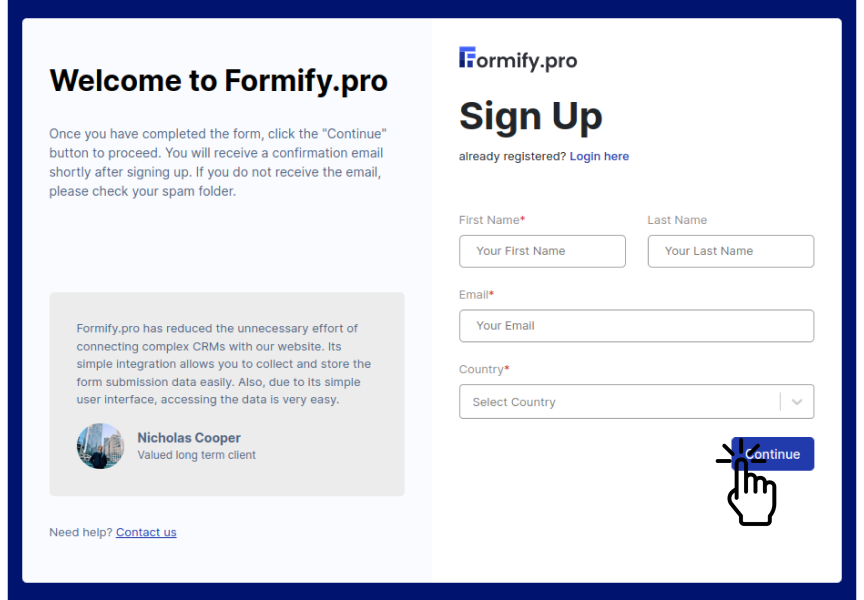
As you click on the register button, you will get a sign-up form in which you can submit your information. Formify.pro doesn’t ask for too much information. You just need to give your first name, last name, email id, and country.
Once you enter these data, click on continue.
Step 3: Choose Your Plan
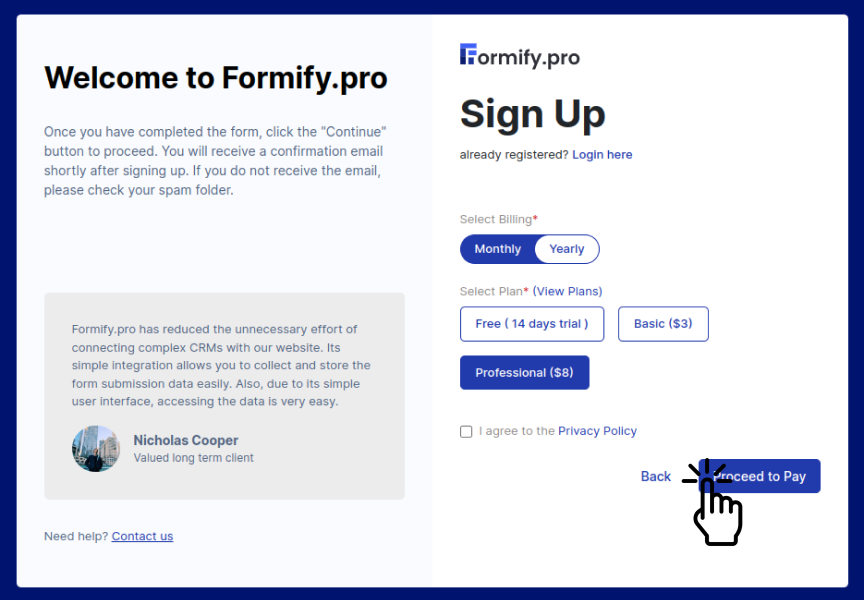
As you click on continue, you will be asked to choose the plan. If you want to first try this tool, you can opt for a free plan. Otherwise, you can choose a basic or professional plan according to your need. Also, note that you will have to pay less if you go for an annual payment.
Here, you can view the plans in detail.
Also, read the privacy policy. Tick the check box and click on the “Proceed to Pay” button. This will lead you to Stripe which is our payment partner. You can complete your purchase there.
Step 4: Get Your Temporary Password
Formify.pro is very caring about cyber security. As you complete the payment or choose the free plan, a temporary password will be sent to your registered email address. If you don’t find the password in the inbox, please check your spam or promotion folder.
Copy the password, press the “Continue” button on the pop-up, and you will be redirected to log in where you can enter your registered email id and temporary password.
Step 5: Build a New Password
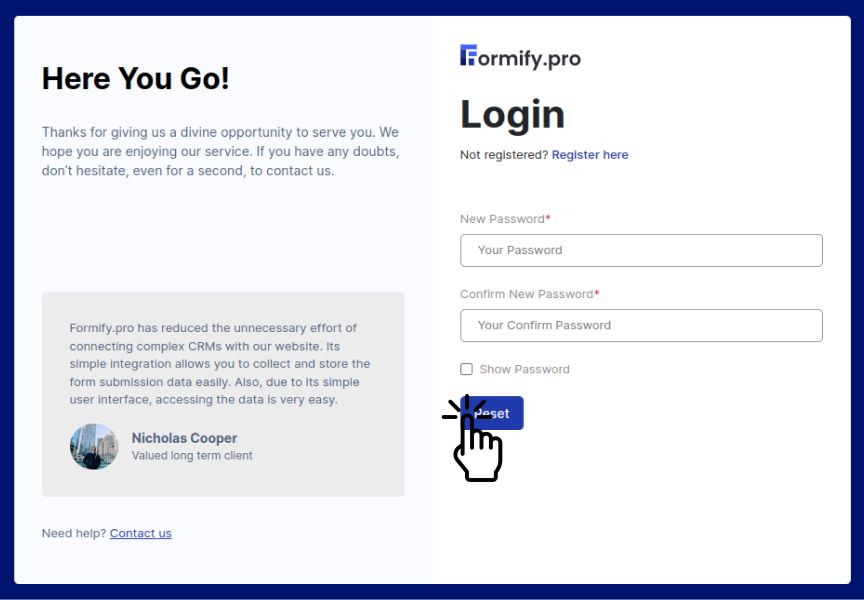
As you complete all the above-mentioned processes, you will be asked to create a new secured password. Remember the password you use must contain at least 8 characters, one uppercase letter, one lowercase letter, and a minimum of one special character. You need to use this password onwards.
Once you complete this process, you will arrive at the main dashboard of Formify.pro where you can create different projects as per your selected plan.
Step 6: Create New Project
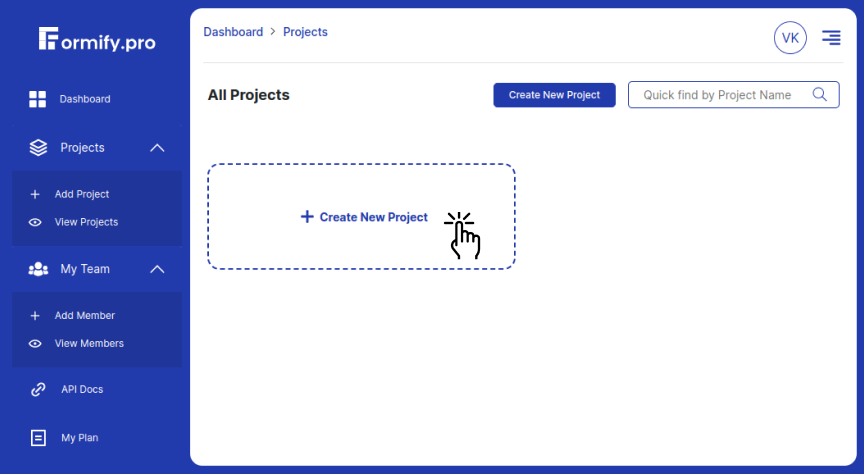
Once you arrive on the main dashboard, you can create different projects. Just click on “Create New Project”, and enter the project name or your website name.
Step 7: Add Forms
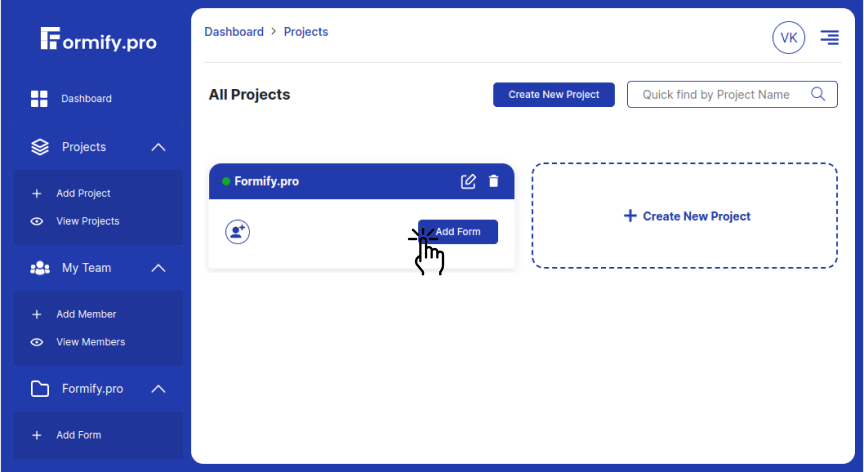
Once the project is created, you need to click on the “Add Form”. Give a name to a form, and enter the domain for which you are using this form. And if you want to redirect your users to other pages after they submit their data, give them its URL.
If you don’t want to bring the user to any other page, you can use our default thank you page which will load on the screen once the user submits their entries.
Step 8: Get The Generated Endpoint
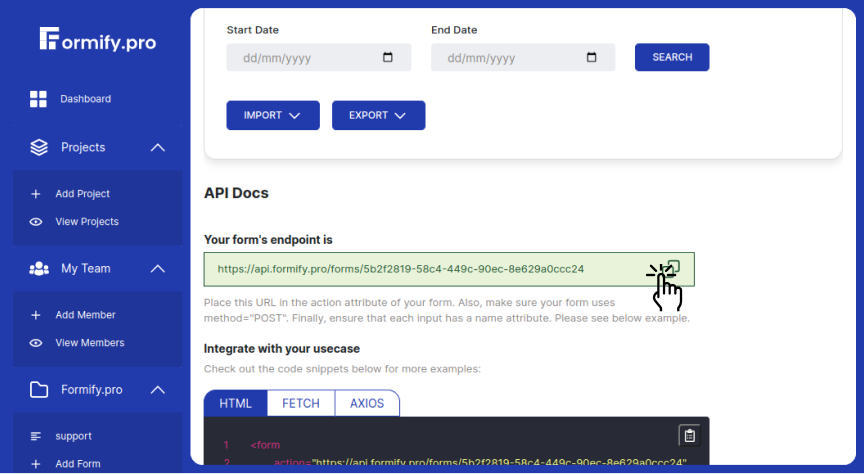
Once you create the form, click on view and get the endpoint of the form. You need to place this endpoint in the action attribute of your form. While doing this, make sure your form uses method="POST". Finally, ensure that each input has a name attribute.
Example
Your form's endpoint is
https://api.forms.com/form_id
Integrate with your usecase
Check out the code snippets below for more examples:
1
2
3
4
5
6
7
8
9
10
11
<form
        action="https://api.formify.pro/forms/form_id"
        method="post"
        enctype="multipart/form-data"
    >
    <input name="name" type="text">
    <input name="email" type="email">
    <input name="file" type="file" multiple>
    <input name="message" type="text">
    <button type="submit">Submit</button>
</form>
Step 9: Start Collecting Data
Once all these steps are done. You are all set to collect the user’s data.
Extra Features You Get in Formify.pro
1) Adding Team Members
If you have more people on a single project, you can add them into the project and assign them a role. You can also give them edit or view access.
2) Exporting The Collected Data
Formify.pro allows you to export the stored data into CSV and XLS format.
3) Importing The Data From Outside
If you already have collected the data in CSV or XLS format, you can import it to Formify.pro. Disclaimer: When you import the data, the number of allowed submissions will be reduced. For example, if you have left 500 submissions and you import 100 submissions, you will be left with 400 submissions.
4) Extra Information
Though you ask for limited details in your form, Formify.pro provides you with more data such as the location from which the form is filled, referrer (a URL from which the form is filled), browser, device, etc.
5) Send Direct Emails
If you want to send emails to the collected list, you can send it in a single click.
Features That Make Formify.pro Different From Other Form Data Collecting Tools
Formify.pro includes some advanced features which makes it different from its competitors. They are as follows:
1) Cross Site Validation
If anyone gets the endpoint you are using on your form and place it in the form of the other website then the data of that other website will start coming to you. To avoid this issue, Formify.pro comes with cross site validation which makes it fully secured from such activities.
2) Multiple File Upload
If your form demands multiple files from the user, you can still collect and store them in this software.
3) Custom Redirect
If you want to redirect your users to any specific page of your website, you can do it by providing the URL of that page.
4) Multiple Websites
If you have multiple projects, you can collect the data of different forms of different websites.
5) API Access
With API access, you can use the collected data in your other projects.
Wrapping Up
Hosting backend and creating a separate admin panel is mostly costly and time-consuming work. Through Formify.pro, we have come up with a good solution to this problem. We hope this software will help you.
If you have any doubt or want to buy its custom plan, please feel free to reach us at support@formify.pro without hesitation.
Formify.pro is professional software that helps you collect and store form data without Backend. You just need to integrate our tool with any custom form. One of the unique features of this tool is that it provides you with more data than you asked for from the users in the form fields.